How Website Navigation Affects Customer Experience and Sales
Introduction
Website navigation plays a crucial role in determining how visitors interact with a business website. When users visit a website, they expect to find the information, products, or services they need quickly and without confusion. Effective website navigation makes this process simple, improves customer satisfaction, and helps businesses turn visitors into paying customers.
On the other hand, confusing menus, poorly organized pages, and unclear navigation links can frustrate visitors and cause them to leave before completing an important action. Even a visually attractive website may struggle to generate sales if users cannot find what they are looking for.
For businesses investing in website development and digital marketing, navigation should be treated as an essential part of the customer experience and conversion strategy.
What Is Website Navigation?
Website navigation refers to the system of menus, links, buttons, and other elements that help visitors move between different pages of a website. It provides a clear structure that allows users to understand where they are and how to access relevant information.
Common website navigation elements include:
-
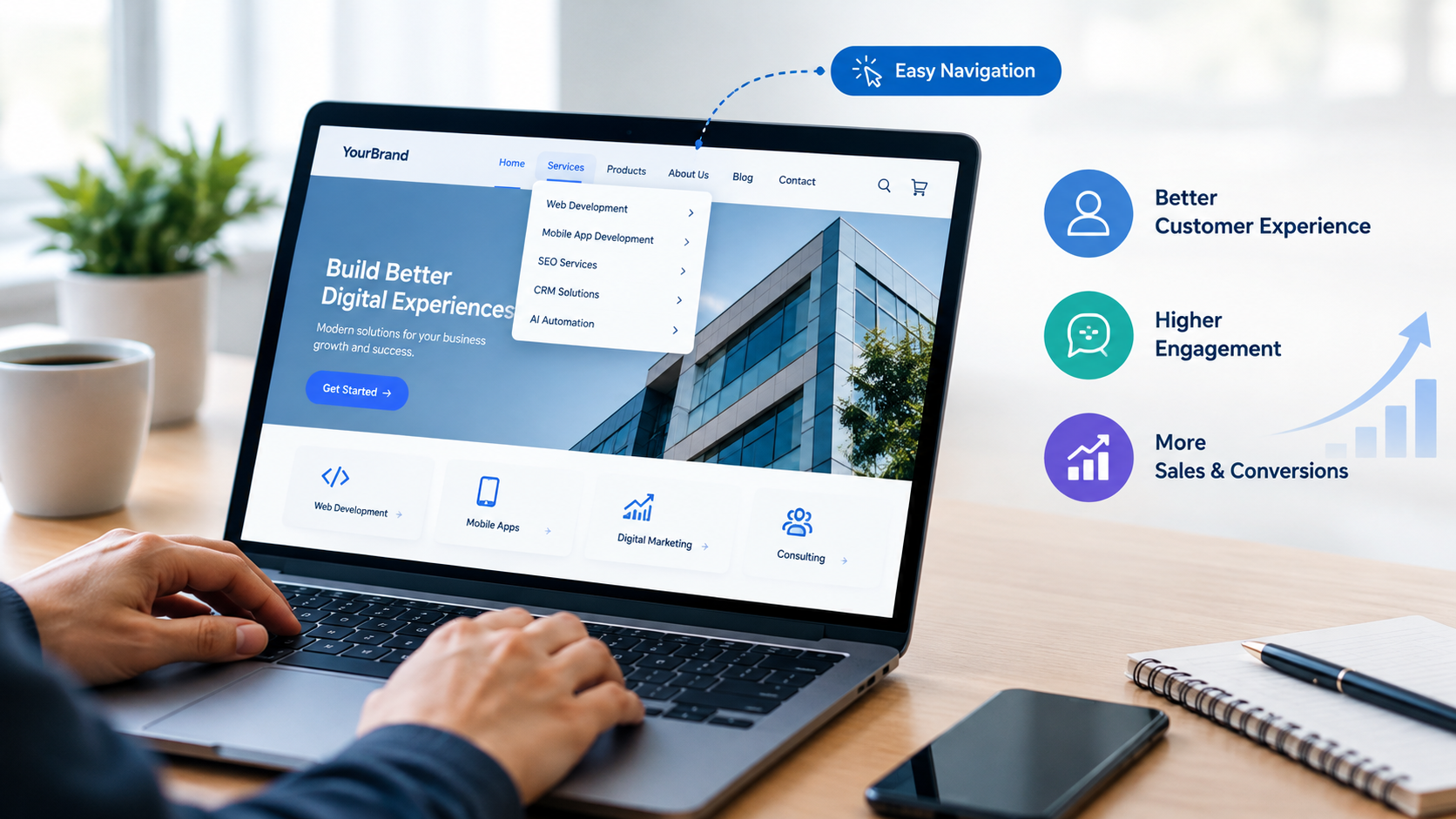
Main navigation menu: Links to important sections such as Home, About Us, Services, Products, and Contact.
-
Dropdown menus: Organize related pages under a single menu category.
-
Breadcrumb navigation: Shows users the path from the homepage to their current page.
-
Footer navigation: Provides access to secondary links, policies, contact information, and other resources.
-
Search functionality: Helps visitors locate specific products, services, or information.
-
Call-to-action buttons: Guide users toward actions such as requesting a quote, booking a consultation, or making a purchase.
A well-structured navigation system makes a website easier to understand and creates a smoother journey from the first visit to conversion.
1. Improves the Overall Customer Experience
Customer experience begins as soon as a visitor lands on a website. Users generally want to complete their tasks quickly, whether they are researching a service, comparing products, or looking for contact details.
Clear website navigation reduces the effort required to find information. When important pages are easy to access, visitors can focus on understanding the business rather than figuring out how the website works.
For example, a software company can organize its website into sections such as Solutions, Industries, Pricing, Resources, and Contact. A potential customer can then explore the relevant information without navigating through unrelated pages.
A positive browsing experience can encourage visitors to explore more of the website, return in the future, and develop a stronger impression of the brand.
2. Helps Reduce Bounce Rates
Visitors may leave a website when they cannot quickly find relevant information or understand what to do next. Poor navigation can contribute to this problem by creating unnecessary friction.
A clear menu structure helps users identify relevant pages and continue exploring the website. Descriptive menu labels, logical categories, and accessible internal links make it easier to move between related topics.
However, navigation is only one factor affecting bounce rates. Page speed, content relevance, design quality, and the visitor's original intent also influence whether someone stays or leaves.
Businesses should evaluate navigation alongside these other factors to understand why visitors leave and identify opportunities to improve engagement.
3. Makes Products and Services Easier to Discover
For businesses offering multiple products or services, navigation directly affects how easily customers can discover available solutions.
Imagine a digital agency offering web development, mobile app development, SEO, CRM implementation, and AI automation. If every service is listed without a clear structure, visitors may struggle to identify the right solution.
A better approach is to group related services into meaningful categories and provide dedicated pages for each offering. These pages should explain the service, its benefits, and the next step visitors can take.
For e-commerce businesses, product categories, filters, and search tools help customers narrow their options and find relevant items more efficiently.
Better discoverability can increase the likelihood that visitors explore suitable offerings and move closer to making a purchase decision.
4. Builds Trust and Professional Credibility
A website is often one of the first places potential customers interact with a business. Its structure and usability can influence how professional and reliable the company appears.
A confusing navigation system may make visitors question whether the business pays attention to detail. Missing contact information, inconsistent menu labels, and broken links can further weaken confidence.
A well-organized website helps visitors locate important trust-building information, including:
-
Company background and expertise.
-
Product or service details.
-
Customer testimonials and case studies.
-
Contact information and support options.
-
Privacy policies, terms, and other relevant business information.
When users can easily access this information, they have a clearer understanding of the business and can make more informed decisions.
5. Supports Higher Conversion Rates and Sales
One of the most important business benefits of effective website navigation is its potential to support conversions.
A conversion may involve purchasing a product, submitting a lead form, requesting a quotation, booking a meeting, or subscribing to a newsletter.
Navigation helps guide visitors toward these actions by making the customer journey easier to follow. For example, a service page can link to relevant case studies, pricing information, and a consultation form.
An online store can make product categories, shopping cart access, delivery information, and checkout steps easy to find.
Businesses should ensure that important actions are clearly visible without overwhelming users with too many competing buttons.
Better navigation does not guarantee higher sales, but it can remove barriers that prevent interested visitors from becoming customers.
6. Improves the Mobile User Experience
Mobile devices account for a substantial share of website traffic across many industries. A navigation system that works well on a desktop may be difficult to use on a smaller screen.
Mobile-friendly navigation should include:
-
A clearly visible and easy-to-use menu button.
-
Readable labels and appropriately sized touch targets.
-
Simple menu structures that do not require excessive scrolling.
-
Search functionality where it is useful.
-
Easy access to important actions such as calling, booking, or purchasing.
-
Consistent navigation across mobile and desktop versions.
Businesses should test their websites on different screen sizes and devices to identify usability issues.
A smooth mobile experience is particularly important for customers who browse products, compare services, or make purchases while on the move.
7. Makes the Customer Journey More Efficient
Customers rarely make decisions in exactly the same way. Some visitors are discovering a business for the first time, while others are comparing alternatives or preparing to purchase.
Effective navigation supports these different stages of the customer journey.
For example, a first-time visitor may want to understand what a company does. Another visitor may want to compare service packages, read customer reviews, or contact the sales team.
A logical website structure connects these needs through relevant internal links and clear navigation paths.
Businesses can map common user journeys and identify unnecessary steps. If customers must visit several unrelated pages before reaching a quotation form, simplifying the path may improve the experience.
The goal is not to force every visitor through the same route. It is to make the most relevant next step easy to find.
8. Supports Search Engine Optimization
Website navigation also influences how search engines discover and understand website content.
A logical hierarchy helps establish relationships between the homepage, category pages, service pages, and supporting articles. Descriptive internal links provide additional context about the destination pages.
For stronger website structure and SEO performance, businesses should:
-
Use clear and descriptive navigation labels.
-
Organize pages into relevant categories.
-
Link related articles and service pages where useful.
-
Avoid unnecessary duplicate pages and confusing URL structures.
-
Ensure important pages can be accessed through crawlable links.
-
Keep XML sitemaps and internal links consistent with the site's structure.
Good navigation can support crawling, indexing, and content discovery, but it does not guarantee higher search rankings. Content quality, technical SEO, website performance, and other ranking factors also matter.
9. Common Website Navigation Mistakes to Avoid
Even well-designed websites can create problems when their navigation is not planned around user needs.
Overcrowded menus: Too many top-level options make it difficult to identify the most important pages.
Unclear labels: Creative or vague labels may look attractive but leave visitors unsure about what they will find.
Hidden important information: Contact details, pricing, support, or key service pages should not be unnecessarily difficult to locate.
Too many dropdown levels: Deep menu structures can make navigation frustrating, especially on mobile devices.
Broken links: Links that lead to missing or irrelevant pages interrupt the customer journey and reduce confidence.
Inconsistent navigation: Changing menu layouts or labels across pages can confuse visitors.
Ignoring user behavior: Navigation designed around internal company departments rather than customer needs may make important information difficult to find.
Regular website testing and feedback can help businesses identify and correct these issues.
10. Best Practices for Better Website Navigation
Businesses can improve navigation by following a few practical principles.
Keep the Structure Simple
Prioritize the pages visitors need most often. Group related content logically and avoid adding unnecessary menu options.
Use Familiar Labels
Labels such as Services, Products, Pricing, About Us, and Contact are generally easy to understand. Use terminology that reflects how customers describe their needs.
Prioritize Important Pages
Give prominent placement to pages that support key business goals, such as service descriptions, product categories, pricing, and consultation requests.
Design for Mobile First
Ensure that menus, buttons, and links are easy to use on smaller screens. Test the complete browsing and conversion journey on mobile devices.
Use Internal Links Strategically
Connect related pages so users can discover useful information naturally. For example, a blog about CRM automation can link to a relevant CRM service page.
Monitor User Behavior
Use analytics, usability testing, and customer feedback to identify pages where visitors struggle or abandon their journey.
Review Navigation Regularly
As a business adds new services, products, and resources, its navigation should evolve without becoming unnecessarily complicated.
How to Measure the Effectiveness of Website Navigation
Businesses should measure navigation performance rather than relying entirely on visual preferences.
Useful metrics include:
-
Engagement rate: Helps show whether visitors meaningfully interact with the website.
-
Conversion rate: Measures the percentage of visitors who complete a desired action.
-
Exit rate on key pages: Helps identify pages where sessions frequently end.
-
Internal search queries: Reveal what visitors are trying to find.
-
Click-through rates on navigation links: Show which menu items attract attention.
-
Form abandonment: Helps identify friction in lead-generation journeys.
-
Task completion time: Usability testing can reveal how quickly users locate specific information.
These metrics should be interpreted together. For instance, a high exit rate on a contact page may be normal if visitors have already found the information they need, while repeated searches for a service that is difficult to locate may indicate a navigation problem.
Businesses can test alternative menu labels, category structures, and page layouts to determine which changes improve the experience.
Conclusion
Website navigation is more than a design feature. It is an important part of how customers discover products, evaluate services, build trust, and make purchasing decisions.
A clear navigation structure can reduce unnecessary friction, improve content discovery, support mobile usability, and create more direct paths to conversion. It can also help search engines understand the relationships between important pages.
For businesses looking to improve their digital presence, investing in user-friendly navigation is a practical step toward creating a more effective website. By combining a logical structure with relevant content, clear calls to action, and regular performance testing, businesses can make their websites more useful for visitors and better aligned with their sales goals.