More Tools, More Productivity?
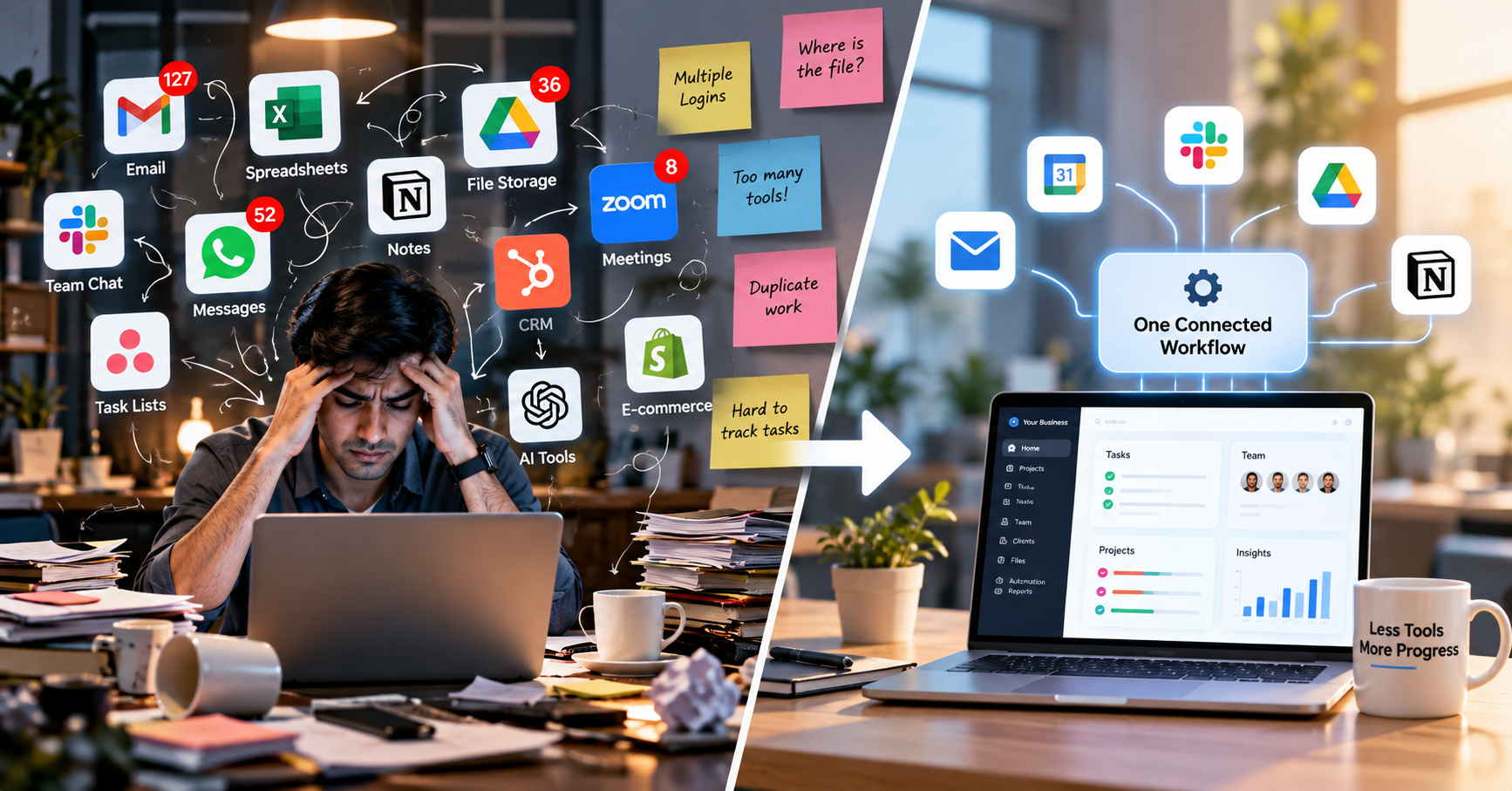
Businesses today have access to more digital tools than ever before. Teams use different platforms for communication, project management, file storage, customer relationships, accounting, marketing, meetings, and artificial intelligence. While these tools are designed to improve productivity, using too many disconnected platforms can sometimes create a new problem: digital clutter. When information, tasks, and communication are spread across multiple applications, employees may spend more time switching between tools than actually getting work done.
What Is Digital Clutter?
Digital clutter refers to the unnecessary, duplicated, or disconnected digital tools and information that make everyday work more complicated. A business might use one platform for communication, another for managing tasks, another for storing files, a spreadsheet for customer information, and several different AI tools for different activities. Each tool may have a purpose, but when they are not connected properly, employees can find themselves managing the tools instead of focusing on their actual work.
How Does It Happen?
Digital clutter usually develops gradually rather than appearing all at once. A company may start with a simple spreadsheet to track customers, then introduce a CRM as it grows. Later, another team may start using a project management platform, while the marketing team adopts a separate tool for campaigns and analytics. Employees may also introduce their own preferred tools to solve specific problems. Over time, a business can end up with several platforms performing similar functions without realizing how much complexity they have created.
When Tools Create More Work
The real issue begins when adding another tool starts creating more work instead of reducing it. Every new platform can introduce another login, another interface, another notification system, and another place where information needs to be updated. For example, a customer enquiry might arrive through WhatsApp, be recorded in a spreadsheet, entered into a CRM, followed up through email, and then added to a task management application. The business has several digital tools, but an employee is still manually performing the same process across multiple platforms.
The Problem of Scattered Information
Important business information may exist in different places, such as customer details in a CRM, documents in cloud storage, conversations in messaging applications, tasks in project management software, reports in spreadsheets, and meeting information in calendars. When employees need to find something, they may have to check multiple platforms before locating the information they need. Questions such as “Where is the latest file?” or “Did the client confirm this?” can become common when information is not organized within a clear workflow.
Repeating the Same Work
Another common problem is entering the same information multiple times. Imagine a customer submitting an enquiry through a website. An employee may have to copy the customer's information into a spreadsheet, create a CRM entry, send an email, and create a follow-up task. If these systems are not connected, the same information has to be entered repeatedly. This not only takes additional time but also increases the possibility of mistakes.
Too Many Notifications
Digital clutter can also affect employee attention. Notifications from email, team communication platforms, project management software, CRM systems, calendars, and AI tools can quickly become overwhelming. When every application demands attention, employees may find it difficult to identify which tasks are genuinely important. Reducing unnecessary notifications and creating clear communication channels can help teams focus on the work that actually requires their attention.
The AI Tool Overload
The rapid growth of artificial intelligence has added another layer to the digital-tool problem. New AI applications are constantly being introduced for writing, image generation, research, coding, meetings, customer support, data analysis, and automation. These tools can be useful, but businesses do not necessarily need every new AI application. Before introducing another tool, businesses should consider what problem it solves, whether an existing platform can already handle that task, whether employees will actually use it, and whether it fits into the company's current workflow.
Choosing the Right Tools
The goal should not be to use fewer tools simply for the sake of having fewer tools. Instead, businesses should focus on using the right tools in the right way. A good starting point is to review the platforms currently being used and understand the purpose of each one. Businesses can identify tools that are rarely used, platforms that perform similar functions, and processes that require employees to repeatedly move information from one system to another.
Connecting Different Systems
Businesses do not always need to replace their existing tools. Sometimes, the better approach is to connect them. For example, when a customer submits a website enquiry, an automated workflow could capture the information, create a CRM record, notify the appropriate team member, create a follow-up task, and send a confirmation email. Instead of manually transferring information between different platforms, employees can focus on customer communication and other activities that require human involvement.
Where Automation Helps
Automation does not mean that every business process should be automated. The purpose of automation should be to reduce repetitive and unnecessary work while keeping people involved where human judgement and communication are important. A well-designed digital workflow should make it easier for employees to understand where information belongs, which tools they should use, and what actions need to be taken next.
Simplifying the Digital Workflow
As businesses grow, their technology requirements will also change. The solution is not always to keep adding more software. Businesses should regularly review their digital environment and determine whether their existing tools are still serving a useful purpose. Removing unnecessary platforms, reducing duplicate work, connecting important systems, and organizing information properly can make everyday processes easier to manage.
Technology Should Make Work Easier
Digital transformation is ultimately not about having the largest collection of software. It is about creating a digital environment where people, processes, and technology work together effectively. The important question for a business is not how many tools it uses, but how much those tools actually simplify the work. A well-organized digital workflow can help teams spend less time searching, switching, and repeating tasks—and more time focusing on work that creates real value.