A business website is more than an online presence. It is an important tool for attracting potential customers, generating leads, building brand credibility, and supporting long-term business growth. However, even a well-designed website may struggle to appear in search results if its technical foundation is weak.
This is where technical SEO becomes essential.
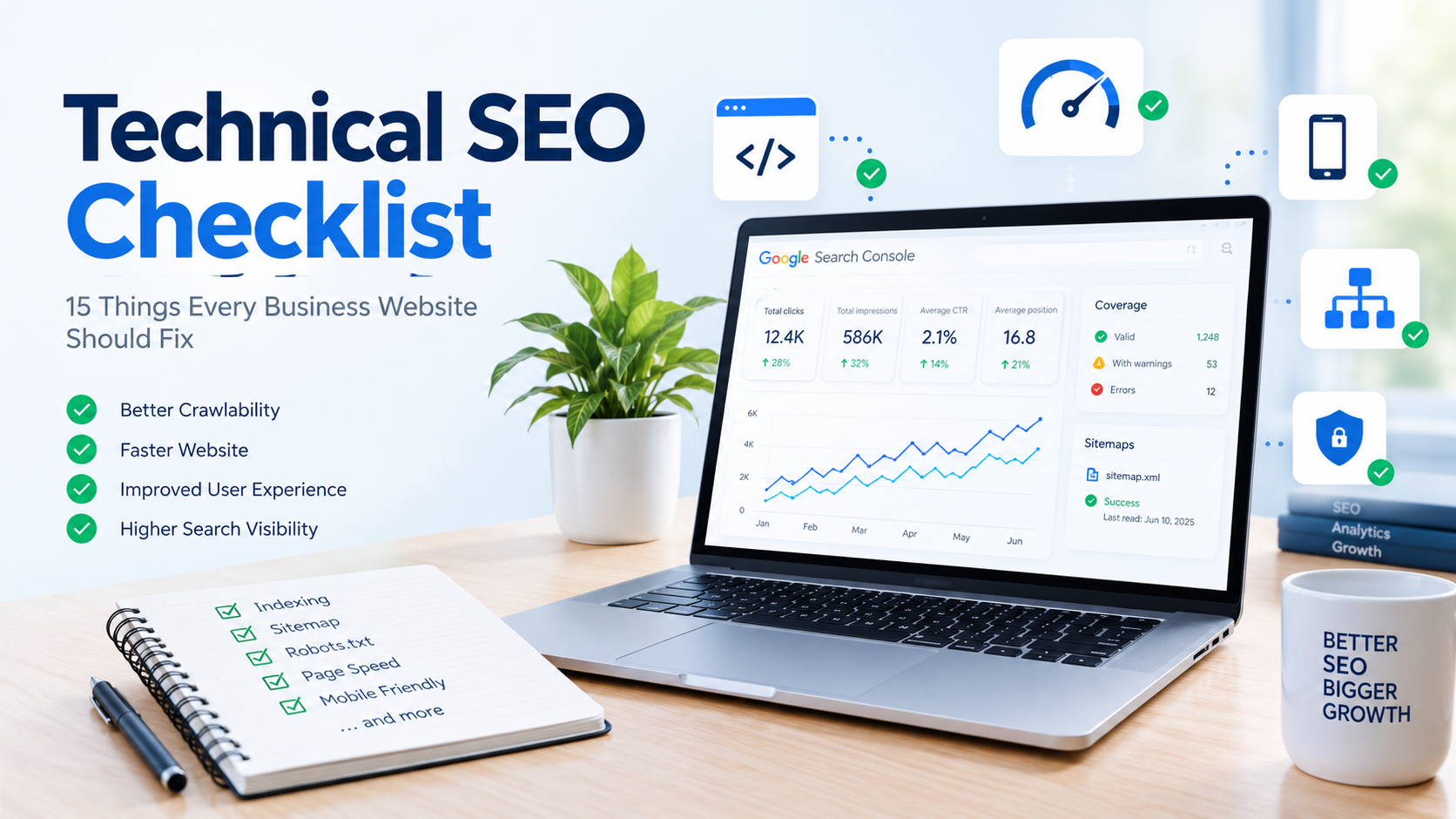
A technical SEO checklist helps businesses identify and fix website issues that prevent search engines from discovering, crawling, indexing, and understanding their pages effectively. It also helps improve the user experience by addressing slow loading times, mobile usability problems, broken links, and other technical obstacles.
Whether you operate a startup website, an e-commerce store, a service-based business, or a corporate website, these 15 technical SEO fixes can help strengthen your website's search performance.
What Is Technical SEO?
Technical SEO refers to the process of optimizing a website's technical structure so search engines can access, crawl, understand, and index its content efficiently.
Unlike on-page SEO, which focuses on content, headings, keywords, and internal links, technical SEO focuses on the infrastructure that supports your website.
Common technical SEO activities include improving page speed, creating XML sitemaps, fixing crawl errors, implementing HTTPS, optimizing mobile usability, and managing duplicate URLs.
Technical SEO does not guarantee higher rankings, but it helps remove obstacles that may prevent useful content from performing well in search results.
15 Technical SEO Issues Every Business Website Should Fix
1. Check Whether Important Pages Are Indexed
Search engines need to index a page before it can generally appear in organic search results. If important pages are not indexed, potential customers may never discover them through Google.
Common reasons for indexing problems include accidental noindex directives, blocked crawling, duplicate content, and pages with little value.
What to fix:
-
Open Google Search Console and inspect important URLs.
-
Check whether service pages, product pages, and blog posts are indexed.
-
Review pages marked as excluded or discovered but not indexed.
-
Remove accidental
noindexdirectives where indexing is intended. -
Ensure important pages provide useful, unique content.
Focus on indexing the pages that matter to your business rather than trying to index every URL on your website.
2. Create and Submit an XML Sitemap
An XML sitemap lists important URLs that you want search engines to discover. It can be particularly helpful for large websites, newly published pages, and websites with complex structures.
A sitemap does not guarantee indexing, but it helps search engines discover URLs and understand when content was last modified.
What to fix:
-
Generate an XML sitemap, usually at
/sitemap.xml. -
Include canonical, indexable URLs that return successful HTTP responses.
-
Exclude redirected URLs, error pages, and URLs marked
noindex. -
Update the sitemap when important content changes.
-
Submit the sitemap through Google Search Console.
For websites with many pages, a sitemap index can help organize multiple sitemaps.
3. Review Your Robots.txt File
The robots.txt file provides crawling instructions to compliant search engine crawlers. Incorrect rules can prevent search engines from accessing important sections of your website.
For example, a rule that blocks an entire website can interfere with search visibility.
What to fix:
-
Visit
yourdomain.com/robots.txt. -
Check whether important sections are accidentally disallowed.
-
Ensure the sitemap location is listed when appropriate.
-
Test important URLs using Google Search Console's available inspection tools.
-
Avoid blocking essential resources that search engines need to understand your pages.
Remember that robots.txt is not a reliable way to keep private information out of search results. Sensitive information should be protected through proper access controls.
4. Improve Website Loading Speed
Website speed affects user experience and can contribute to search performance. Slow pages may frustrate visitors, reduce engagement, and make it harder for potential customers to explore your services.
Large images, excessive JavaScript, unnecessary plugins, and inefficient server responses are common causes of slow websites.
What to fix:
-
Compress images and use modern formats such as WebP or AVIF.
-
Remove unnecessary scripts and plugins.
-
Enable browser caching and suitable server-side caching.
-
Reduce render-blocking resources where possible.
-
Consider a content delivery network (CDN) if appropriate.
-
Test key pages with Google PageSpeed Insights.
Do not optimize only the homepage. Review product pages, service pages, landing pages, and blog posts as well.
5. Optimize Core Web Vitals
Core Web Vitals measure important aspects of the user experience, including loading performance, responsiveness, and visual stability.
The three main metrics are:
-
Largest Contentful Paint (LCP): Measures how quickly the main content becomes visible. A good result is 2.5 seconds or less.
-
Interaction to Next Paint (INP): Measures responsiveness to user interactions. A good result is 200 milliseconds or less.
-
Cumulative Layout Shift (CLS): Measures unexpected visual movement. A good result is 0.1 or less.
These thresholds are assessed at the 75th percentile of page visits.
What to fix:
-
Optimize the main image or content element responsible for LCP.
-
Reduce unnecessary JavaScript execution to improve responsiveness.
-
Reserve space for images, advertisements, and embedded content.
-
Investigate real-user data in Google Search Console and PageSpeed Insights.
Good Core Web Vitals support usability, but meeting the thresholds alone does not guarantee top search rankings.
6. Make Your Website Mobile-Friendly
Many customers discover businesses through smartphones. A website that is difficult to navigate on a small screen can lead to lost enquiries and poor user experiences.
Google primarily uses the mobile version of a website's content for indexing, making mobile optimization particularly important.
What to fix:
-
Use responsive website layouts.
-
Ensure text is readable without zooming.
-
Make buttons and links easy to tap.
-
Prevent horizontal scrolling caused by oversized elements.
-
Ensure important content is available on mobile.
-
Test forms, menus, and checkout processes on different screen sizes.
Your mobile website should provide access to the same essential content and metadata as the desktop version.
7. Fix Broken Links and 404 Errors
Broken links can interrupt navigation and prevent visitors from reaching useful information. They may also make it harder for search engines to discover related pages.
A 404 response is not always a problem. If a page has been permanently removed and has no replacement, returning a genuine 404 or 410 status may be appropriate.
What to fix:
-
Crawl your website to identify broken internal links.
-
Update links that point to incorrect URLs.
-
Restore valuable pages that were removed accidentally.
-
Redirect permanently moved pages to relevant replacement pages.
-
Remove links to outdated or unavailable resources.
Avoid redirecting every missing URL to the homepage. Redirects should lead to relevant destinations.
8. Implement HTTPS Across Your Website
HTTPS protects data transferred between a visitor's browser and your website. It is particularly important for contact forms, customer accounts, and online transactions.
A website with mixed HTTP and HTTPS URLs can also create duplicate URL versions or browser security warnings.
What to fix:
-
Install and maintain a valid SSL/TLS certificate.
-
Redirect HTTP URLs to their HTTPS equivalents.
-
Update internal links to use HTTPS.
-
Check canonical tags and sitemap URLs.
-
Resolve mixed-content warnings caused by insecure resources.
HTTPS is a confirmed lightweight Google ranking signal and an essential component of modern website security.
9. Fix Duplicate Content and Canonicalization Issues
Duplicate or substantially similar pages can make it difficult for search engines to determine which URL should appear in search results.
This can happen when the same page is accessible through multiple URL variations, such as tracking parameters, HTTP and HTTPS versions, or trailing-slash differences.
What to fix:
-
Identify duplicate URLs using a website crawler.
-
Choose a preferred URL for each page.
-
Add appropriate canonical tags.
-
Use consistent internal links to preferred URLs.
-
Keep sitemap entries aligned with canonical URLs.
-
Redirect duplicate URL versions when consolidation is appropriate.
A canonical tag is a signal, not an absolute directive. Search engines may select a different canonical URL if other signals conflict.
10. Use SEO-Friendly URL Structures
Clear URLs help users understand what a page is about and make websites easier to organize.
For example:
-
Less descriptive:
example.com/page?id=8472 -
More descriptive:
example.com/technical-seo-checklist
Descriptive URLs are not a guarantee of better rankings, but they support a clearer website structure.
What to fix:
-
Keep URLs short and meaningful.
-
Use relevant words that describe the page.
-
Separate words with hyphens.
-
Avoid unnecessary parameters where possible.
-
Maintain a consistent URL structure.
-
Use permanent redirects when changing established URLs.
Do not repeatedly change existing URLs just to make them shorter. Consider traffic, backlinks, and redirect requirements before making changes.
11. Add Structured Data Where Relevant
Structured data helps search engines interpret information on a page. Depending on the content and the applicable search feature, it may make a page eligible for enhanced search presentation.
Examples include organization details, product information, breadcrumbs, and eligible event information.
What to fix:
-
Use suitable Schema.org types for your content.
-
Add accurate organization information where appropriate.
-
Implement product markup for eligible product pages.
-
Use breadcrumb structured data when relevant.
-
Validate your markup with Google's Rich Results Test and a schema validator.
-
Ensure structured data matches visible page content.
Structured data does not guarantee rich results or higher rankings. Avoid adding misleading or irrelevant schema simply to qualify for search features.
12. Improve Internal Linking and Website Architecture
Internal links connect related pages and help visitors navigate your website. They also help search engines discover content and understand relationships between pages.
A poorly organized website may leave important pages several clicks away from the homepage or without any internal links.
What to fix:
-
Create clear categories and navigation menus.
-
Link relevant blog posts to related service pages.
-
Use descriptive anchor text.
-
Identify important pages with few or no internal links.
-
Avoid excessive links that make pages difficult to navigate.
-
Build logical topic clusters around key business services.
For example, a digital marketing agency publishing a technical SEO article can link to relevant SEO audit, website development, and digital marketing service pages.
13. Optimize Title Tags and Meta Descriptions
Title tags help search engines understand the topic of a page and can influence the title displayed in search results. Meta descriptions may be used as snippets to summarize the page.
Missing, duplicate, misleading, or poorly written metadata can weaken the clarity of your search listings.
What to fix:
-
Write a unique, descriptive title for each important page.
-
Include the main topic naturally.
-
Make titles specific to the page's purpose.
-
Write useful meta descriptions that communicate value.
-
Avoid keyword stuffing and repetitive templates.
-
Review how titles and descriptions appear on mobile and desktop.
Google may generate a different title link or snippet based on the query and page content. There is no fixed character limit that guarantees how much metadata will display.
14. Find and Fix Orphan Pages
An orphan page is a page that has no internal links pointing to it from other discoverable pages on your website.
Even when an orphan page is included in a sitemap, its lack of internal links can make it difficult for visitors to find and may weaken its connection to the wider website structure.
What to fix:
-
Crawl the website and compare discovered URLs with your sitemap.
-
Identify important pages with no internal links.
-
Add links from relevant category pages, blogs, or service pages.
-
Include useful pages in navigation where appropriate.
-
Remove or consolidate outdated pages that no longer serve a purpose.
Pay particular attention to high-value landing pages, recently published articles, and service pages intended to generate leads.
15. Monitor Crawl Errors and Website Health Regularly
Technical SEO is not a one-time task. New content, website redesigns, plugin updates, server changes, and URL modifications can introduce problems over time.
Regular monitoring helps businesses detect issues before they affect large parts of the website.
What to fix and monitor:
-
Check Google Search Console for indexing and crawling issues.
-
Review unexpected increases in 404 or server errors.
-
Monitor sitemap processing and canonical selection.
-
Test important pages after website updates.
-
Audit redirects when URLs change.
-
Track organic traffic and conversions to identify unusual declines.
For larger websites, automated crawling and scheduled technical audits can make ongoing maintenance more efficient.
Technical SEO Audit Checklist
Use this checklist to track your website's progress.
Website audit progress
0/15
Which Tools Can Help With Technical SEO?
Businesses do not need to rely on guesswork when auditing their websites. Several tools can help identify technical issues and prioritize fixes.
-
Google Search Console: Monitor indexing, search performance, sitemap processing, and reported website issues.
-
Google PageSpeed Insights: Test page performance and review Core Web Vitals data where available.
-
Screaming Frog SEO Spider: Crawl websites to find broken links, redirects, missing metadata, and other technical issues.
-
Google Rich Results Test: Check whether supported structured data qualifies for rich search results.
-
Schema Markup Validator: Validate structured data against Schema.org specifications.
Start with Google Search Console and PageSpeed Insights, then consider a dedicated crawler when your website has many pages or requires more detailed analysis.
Why Technical SEO Matters for Business Growth
Technical SEO supports business growth by helping search engines discover useful pages and enabling visitors to access them without unnecessary friction.
A technically sound website can support several business goals:
Better search accessibility: Search engines can discover and process important content more efficiently.
Improved user experience: Faster pages, functional links, and responsive layouts make websites easier to use.
Stronger lead generation: Visitors can navigate service pages and complete contact forms with fewer obstacles.
More reliable website performance: Regular audits help identify problems introduced by updates, redesigns, or new content.
A stronger SEO foundation: Technical improvements allow content, backlinks, and other SEO activities to work on a healthier website structure.
Technical SEO works best alongside useful content, relevant keywords, quality backlinks, and a clear user journey.
Common Technical SEO Mistakes to Avoid
While fixing technical issues, businesses should avoid creating new problems through unnecessary changes.
-
Blocking important pages in
robots.txt. -
Adding
noindextags to pages intended to rank. -
Redirecting unrelated URLs to the homepage.
-
Changing established URLs without proper redirects.
-
Adding structured data that does not match visible content.
-
Trying to force keywords into every URL and title.
-
Assuming every 404 response is harmful.
-
Treating a perfect performance score as a guarantee of high rankings.
The objective is not to achieve perfect scores across every SEO tool. It is to resolve issues that affect search accessibility, page quality, usability, and business results.
Conclusion
A well-maintained website gives your business a stronger foundation for organic search visibility. From fixing indexing problems and broken links to improving Core Web Vitals and internal linking, each step helps make your website easier for search engines and customers to use.
Use this technical SEO checklist to audit your website, prioritize high-impact issues, and establish a regular maintenance routine. Begin with indexing, crawlability, HTTPS, and major performance problems before moving on to more detailed improvements.
Remember that technical SEO is an ongoing process. Consistent monitoring and careful implementation can help your business website remain accessible, reliable, and ready to support long-term growth.